

People look at your website; machines read it. I combine design, content, and technology in a way that ensures both understand the same thing.
For companies whose websites look good but are misunderstood.
Develop
“Those who communicate in a structured way become the main subject—not a subordinate clause.”
Norbert Kathriner
Behind the Surface
Anyone who played with building blocks as a child knows the difference: The finished picture is on the box. You build it according to the instructions.
People see your website like the picture on the box. Machines read the instructions: headings, order, markup, the words next to a number. If a step is missing there, the end result will be something different from what you built.
Here’s an example: The service package is listed above an amount, with “per location per month” written in small print below it. If a machine extracts just the text, only the amount may remain. A response might then quote a total price that you never offered. This becomes a very real problem, if not during the sales conversation itself, then certainly by the time it comes up.
My background is in design and communication. I know the power of an image, a rhythm, and good user guidance. That’s why I don’t believe in pitting machine-readability against design. Clean source code is no excuse for an unusable website. A beautiful interface is no excuse for incomprehensible content.
Here’s how it looked for me: In the crawl from September 18, 2026, three German URLs led to English versions. The Ahrefs report analyzed on the same day showed that it took about 14 seconds for the server to respond at all when loading my contact page. Of all pages, the contact page.
Here, positioning and content come together to create pages that work. Everything fits together seamlessly:
- Your Structure: Each page has a purpose, a specific location, and meaningful connections.
- Your Pages: Design and markup convey the same message; key information remains contextually relevant.
- Your Speed: The website responds quickly and reliably delivers its core content.
I’m designing the website around the message. And I’m checking to see what really resonates.
Request an Initial Consultation
Every page needs a task
A website grows quickly. Its organization rarely keeps pace.
A page gets a new feature, a campaign gets a second one, and a relaunch gets a third. Years later, they all describe roughly the same thing, with different names and different promises. You don’t see much of this in the menu. But everything is still there—via the search function, old links, and saved addresses.
I therefore begin by organizing the tasks: here, a feature is explained; there, its application is demonstrated; elsewhere, a technical question is explored in depth. The main description is assigned a fixed location. Translations and valid variants are linked to it, and outdated versions are marked with a reasoned decision. A product may appear in many places. It just has to remain the same everywhere.
Internal links connect these elements: from the claim to the evidence, from the service to the reference, and from the in-depth information back to the offering. A link that explains something is helpful. A mandatory link that merely fulfills a quota is not helpful. This is both good search engine optimization and good machine readability. Search engines don’t become unimportant just because an AI ultimately formulates the answer.
What I’m going to discuss with you
What each page is intended to do, who it is intended for, and what message it conveys.
Which versions belong together, which ones are outdated, and which links are missing between the offerings, expertise, and documentation.
When the address, language, navigation, and redirects no longer match the intended content.
You’ll receive a site map.
It specifies tasks, content, languages, and links. For each existing URL, it indicates whether it will remain, be merged, redirected, or removed. The design, editorial, and development teams then work from the same blueprint.
Context belongs in the content
A headline can have character. Still, it should reveal what’s written below it.
In the body of the text, an image can introduce an idea. The headline above it still states the topic, and a brief, factual explanation works even without the image. Who is being referred to, what is being claimed, and when it applies are all on the same page—not somewhere else.
The same applies to design. A price overview needs a clear connection between service, amount, and scope. A chart needs a label that’s easy to understand. A video can provide explanations; the key points are also included in the text. Text extraction shows whether a statement retains its context when a machine extracts only the text. A word count does not.
In the design system, I combine this with reusable building blocks: headings, cards, tables, forms, and navigation. I also ensure a logical reading order, accessible navigation, and a clear path to submitting a request. Existing design can serve as a foundation. If it doesn’t align with the brand positioning, I’ll work with you to refine it. Machine readability is no reason to preserve poor design as a historical artifact.
What I’m going to discuss with you
How visitors find the key information, understand your offer, and move on to the next step.
Statements that lose their context without an image, table entry, or accompanying text.
Which design elements support the content, and which ones we will modify or develop anew.
You’ll receive fully designed and implemented pages.
User guidance, text, images, the design system, and markup all work together seamlessly. I test the pages in the browser, checking their usability and what remains after automated text extraction. Proper headings, lists, and tables make the structure easy to read; targeted tests identify where usability issues still exist. A before-and-after comparison highlights what has improved.
To Make Sure the Message Gets Across
A website can run perfectly in a browser and still shut the door in a crawler’s face.
The content appears only after you click. A security rule blocks desired crawlers. An old URL leads to the destination via several redirects. Or the server responds so slowly that requests time out. You often don’t notice any of this in your own browser: You’re logged in, a lot of information is saved, and you know the way by heart.
Some crawlers and AI systems process JavaScript, while others primarily read the HTML that is delivered immediately. That’s why I check the actual loading paths of your website. Speed remains just as important for human users: images, scripts, and fonts should enhance the site, not slow it down. I look at:
- Response and Content: How quickly and reliably does the website respond, and is all the essential content displayed in full?
- Detours: Which redirects, resources, or dependencies slow down loading and operation?
- Access Rules: Which crawlers and AI systems should be allowed access and for what purposes, and which settings enforce these rules?
Fast is only good if the right thing actually arrives at the other end.
What I’m going to discuss with you
How the website behaves in the browser and during selected automatic retrievals, including response times and content.
Where redirects, language switches, outdated sitemaps, or security rules create unnecessary detours.
What is public, what should be protected by actual access controls, and which crawlers are allowed to access the public pages.
You’ll receive a test report.
It shows the status before and after the redesign under specified conditions: response times, availability, delivered content, and any remaining issues. It also includes updated technical references and the recorded access decisions. You’ll see what has been fixed and what your team needs to know for operations.
Curious? Then read this…
Here’s how I do it
First plan, then build, then measure. In that order.
To do this, we need a clear positioning and solid content—whether derived from decision-making and consolidation or from our own preliminary work. We’ll clarify any missing elements before the renovation it affects.
- Review the current site. I examine the structure, technical implementation, and how the pages are currently used. The approved content dictates what the website must accomplish. This results in a list of changes, prioritized by importance.
- Planning. Each page is assigned a specific purpose. I define the navigation, content modules, design requirements, and how to handle existing pages. For anything that’s difficult to explain, we test it first using a prototype.
- Implementation. I integrate design, content, and development to create the agreed-upon website—whether as a targeted redesign or a completely new site. I set up the content management system so that your team can maintain the new structure as part of their daily workflow.
- Final checks. I repeat the key measurements, verify the content and functionality, and compare everything with the page layout. Afterward, the verified data is delivered in a machine-readable format and, if you wish, continuously monitored.
The findings will determine whether we renovate or build from scratch. A relaunch is a tool, not a business model.
Request an Initial Consultation
Design, Content, and Technology in Practice
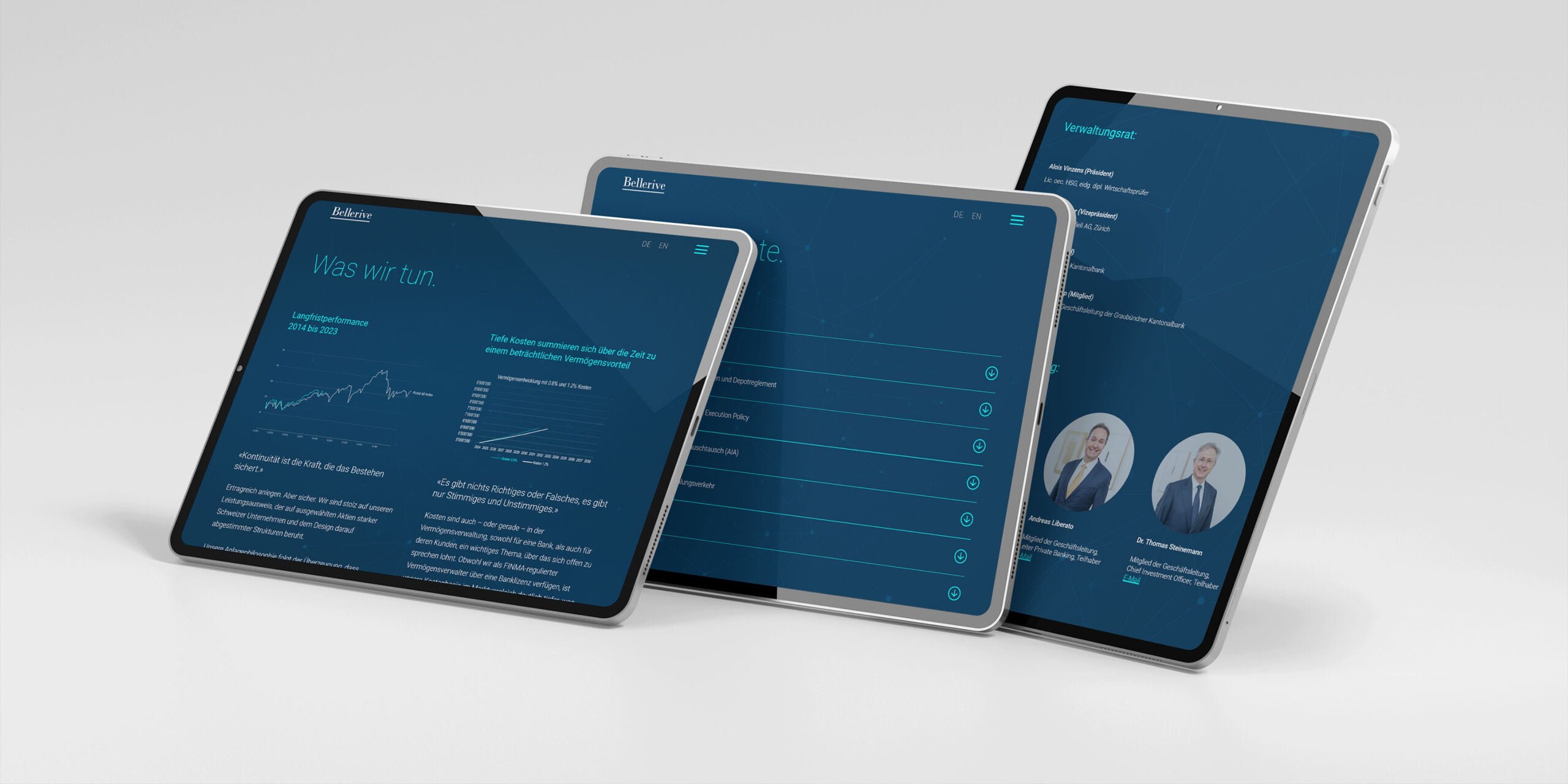
Private Bank Bellerive AG
Corporate design, web design, and backend and frontend development for a private bank. Also included: a finance podcast, a dynamic price visualization, and Office templates. There’s a lot of mechanics behind the calm exterior. 2024.
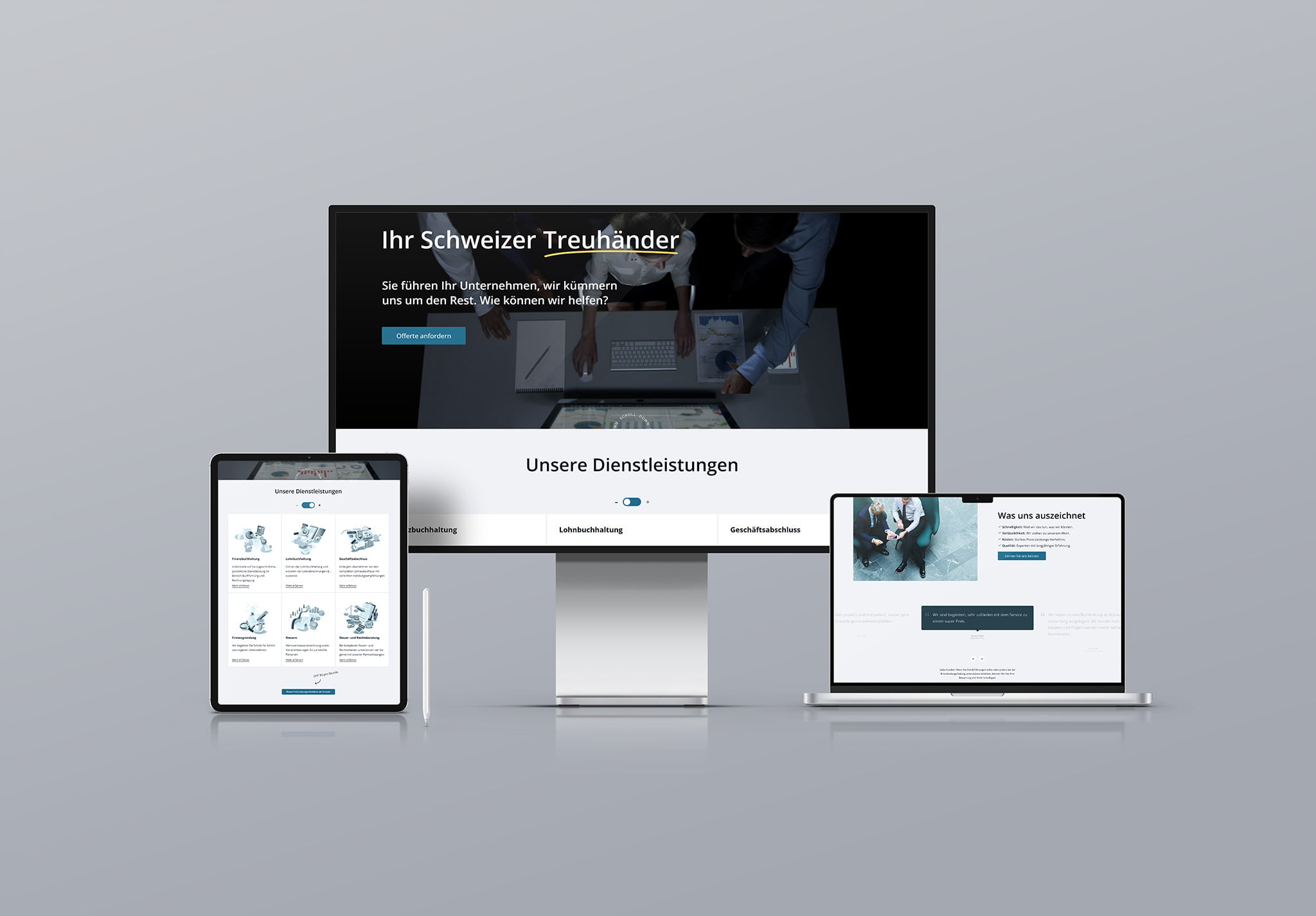
Alpinum Accounting AG
Corporate design and website for a fiduciary firm specializing in small and medium-sized enterprises. Clear service descriptions and a resources section featuring articles and guides bring together the firm’s offerings and expertise. 2022.
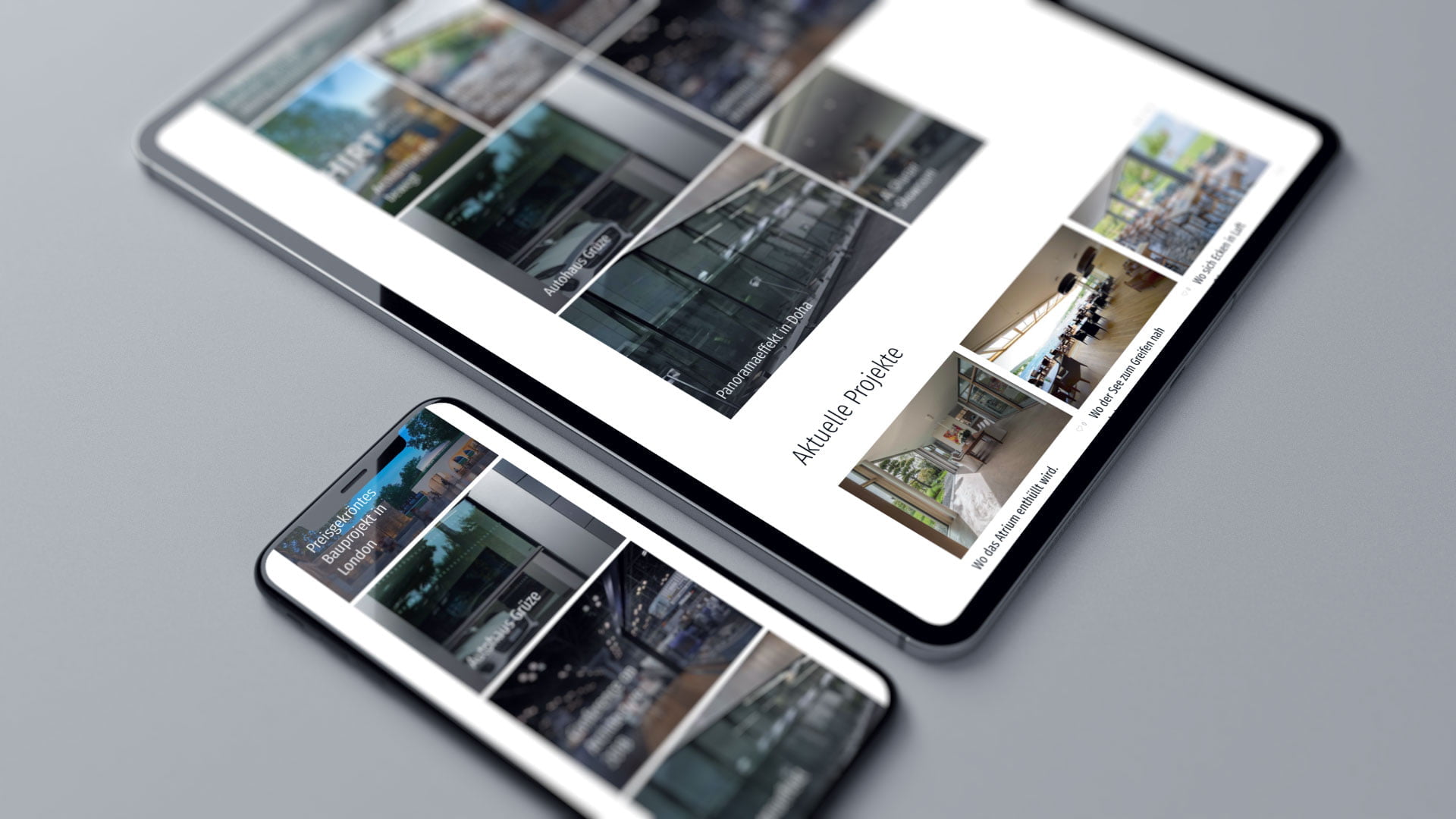
HIRT Moving Architecture
Concept, design, and development of the website for “bewegliche Architektur.” Navigation, images, and videos help convey products that would otherwise take a long time to explain. 2021.
Questions and Answers
Do I need to rebuild my website?
That depends on what it needs to include and what your content management system allows. Often, the structure, content modules, and technical delivery can be specifically improved. If the new positioning requires different features or a different user flow, a more extensive overhaul may be the right approach. I’ll evaluate both: what can be retained and what needs a new foundation. You’ll receive a well-reasoned recommendation regarding the scope of the project.
What does a headline that a machine can understand look like?
It announces what the section contains. “Prices and Scope of Services” explains what it’s about. “Everything included” on its own doesn’t say enough. In running text, an image can help convey an idea; in headings and short answers, clear, recognizable terms are needed. This doesn’t mean you can’t use wordplay. A section should be understandable even when read on its own.
What does "usability" mean for machines?
I use this phrase as a working guide: Can an AI system access the page, extract the essential content, and understand its context? I evaluate this differently than how humans use it. Text extraction shows whether the structure of a table is preserved. A crawl reveals technical obstacles. Both complement the user experience for humans, but do not replace it.
Why is the loading time important for a crawler?
Because slow, choppy, or interrupted page loads make it harder to process your content. Systems vary: Some run scripts, while others run very few or none at all. That’s why I examine server response times, delivery, and technical dependencies. The goal is to ensure that the core content of your pages is delivered reliably. There’s no set time threshold at which every machine reads every page.
Can any machine read my website?
That’s up to you. Some providers distinguish between crawlers for search, real-time responses, and training. I’ll check the rules for the providers that matter to you. A robots.txt file controls crawlers that follow it; it’s not a door lock. Even the “noindex” tag doesn’t protect anything confidential. Anything that shouldn’t be public needs to be behind real access protection.
What does design have to do with it?
Design brings your positioning to life and helps people understand connections and take action. How it’s technically implemented plays a key role in determining whether these connections are actually legible. A large, bold line of text in the code doesn’t automatically make it a heading. A design system integrates visual appearance, functionality, and clean markup—and accessibility is an integral part of that. I refine the design wherever it serves the purpose.
What’s next.
First: consolidate the content that supports your position. Next: deliver the clarified information in a machine-readable format and see what AI systems make of it. I call this machine-readable brand communication.








Together, we’ll take a look at your website and what it’s supposed to do. By examining a few specific pages, we can usually quickly see if there are issues with the structure, design, or technology.
Let’s talk.
Norbert Kathriner
Boutique for Digital Communication